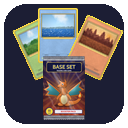
Card Display Stand
A pedestal for selling your cards to other players. It shows one card leaning on a velvet board, with its price floating above it when someone looks at it.




 Card Display Stand
The stand faces you when placed. It belongs to whoever placed it: only the owner can break it (an operator in creative mode can too), and it shrugs off explosions and pistons.
Selling a card
- Right-click the stand with a card while it is empty to put the card on show. The owner screen opens so you can set its price. Right-clicking with more copies of the same card adds them to the stock.
- Right-click with anything else to open the owner screen. Put more copies in the card pocket there, or take them out.
- Crouch and right-click with an empty hand to take the cards off the stand.
Setting the price
The price is any item, in any amount from 1 to 9999, paid for each card:
- Click the price slot while holding an item to ask for that item. Nothing is taken from you; the slot only remembers what you asked for. Shift-clicking an item (other than a card) in your inventory does the same.
- Set the amount with - and + (shift-click to change it by 10), or type it in the box.
- Click the price slot with an empty hand to take the card off sale.
- With JEI installed, drag any item from its list onto the price slot to ask for it, even one you don't have.
Buyers must pay with exactly that item: an enchanted book only counts with the same enchantments, and asking for a card only accepts that card in the same print, so you can trade card for card.
The till
What buyers pay goes into the stand's till, however much it is. The owner screen shows it; press Collect to take it all. Anything your inventory has no room for drops at your feet. When a card sells while you are online, you get a chat message saying who bought it and for what.
Buying a card
Right-click someone else's stand to open its shop. It shows the card, how many are in stock and the price, along with how many of the price item you have. Buy takes the price from your inventory (main inventory and offhand) and gives you one card; it is greyed out when you can't afford it or the stand is sold out. Nothing can be taken out of the shop screen any other way.
Jade
With Jade installed, looking at a stand shows the card and how many are in stock, its price with the price item's icon, and the seller. Jade's tooltip then replaces the label that floats above the stand. It can be turned off in Jade's plugin settings under "Card Display Stand".
TIP
Break a stand and its cards and till drop on the ground, so nothing is lost.